How to Check Product Photos Before You Buy
A visual checklist for comparing listing images, spotting missing information and deciding when a product needs more verification.
Published August 5, 2026 · Updated August 13, 2026 · 2 min read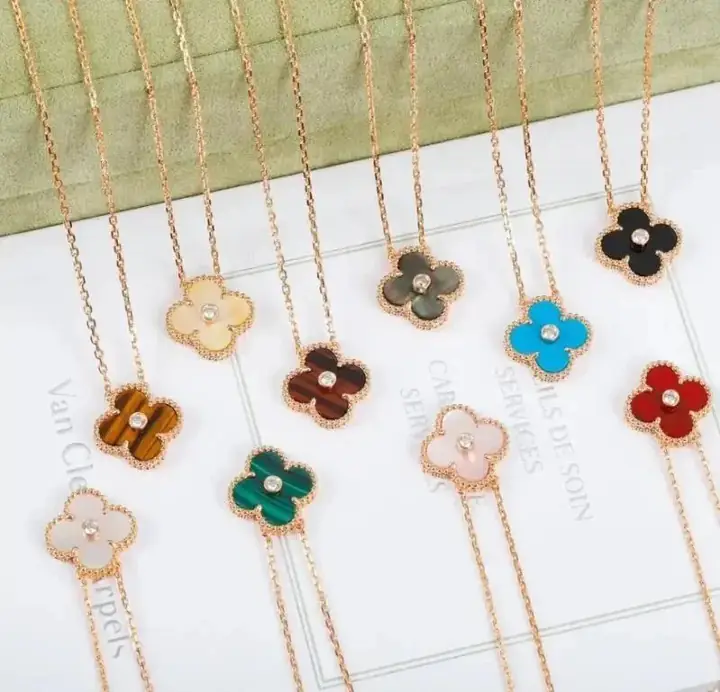
Product photos are one of the most useful discovery signals, but they also have limits. They can show visible design details and available colorways; they cannot guarantee material, construction, authenticity or the exact item a seller will ship.
Separate listing photos from later warehouse information
The images shown in this catalog are seller or listing images collected for product discovery. They are not automatically the same as warehouse photos. A shopping agent may provide additional order-specific information after purchase, depending on its service and the order status.
Always keep this distinction clear when comparing products.
Check the full object first
Start with images that show the entire product. Confirm that the product type and silhouette match the title and category. A misleading crop can hide whether an item is a jacket, matching set, bag accessory or another product.
For common categories, look for:
- Shoes: both sides, heel, toe, outsole and labels
- Clothing: front, back, collar, cuffs, seams and tags
- Bags: front, back, interior, base, straps and hardware
- Watches: dial, case, crown, bracelet or strap and clasp
- Jewelry: front, closure, chain or band, scale and surface finish
Zoom in on construction details
Compare seams, edges, hardware, printing and repeated patterns. Look for consistency between photos. If one image shows a different color, logo position or material, the gallery may combine several variants.
A clean studio image can be useful for shape, while a close-up is more useful for texture and construction. Neither alone tells the full story.
Read visible labels carefully
Labels can help identify size systems, model text or material claims, but image text may be blurred, translated poorly or reused. Treat unclear text as unknown rather than guessing.
Catalog brand labels support navigation. They are not a verification of origin or authenticity.
Look for missing information
Missing photos are themselves a signal. Pause when you cannot find:
- the back or underside
- scale or measurements
- closure details
- size guidance
- the exact selected colorway
- interior views for bags
- labels for sized products
Use the original seller link to see whether a more complete gallery is available. If the live listing still lacks an important detail, ask your shopping agent what confirmation options it provides.
Compare multiple listings
Open several similar products from All Products. Comparing galleries side by side often reveals which listing has clearer sizing, more consistent images or better option descriptions.
Do not choose solely from the most polished main photo. A complete and internally consistent gallery is usually more informative.
Final photo checklist
- Does the complete product match the title and category?
- Are the important front, back, side and detail angles present?
- Do all photos appear to show the same product and colorway?
- Is sizing or scale understandable?
- Are material and quality claims still unverified?
- Have you checked the current seller listing?
If any essential answer is no, keep the product in your comparison list rather than treating it as confirmed.
FAQ
Are listing photos the same as warehouse photos?
Not necessarily. Listing photos describe the seller's offer; warehouse information is provided later by the shopping agent when available.
What if important angles are missing?
Treat missing details as uncertainty and confirm the live listing or request additional information before proceeding.
Can photos guarantee material or quality?
No. Photos can help compare visible details, but they cannot guarantee material, construction or authenticity.